🎯 Expert Editing Mentors
Guidance on storytelling, pacing, and delivery specs to meet client expectations across platforms.






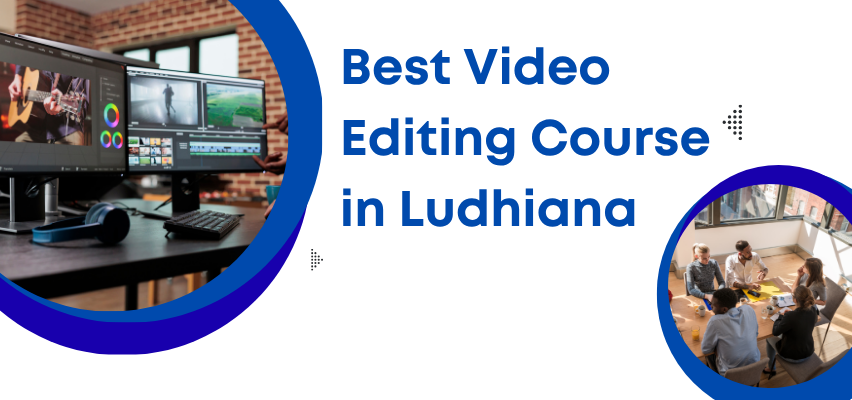
Looking for the best video editing course in Ludhiana focused on Adobe Premiere Pro? At TechCADD Computer Education, Ludhiana, this outcome‑oriented track builds professional editing skills—from ingest and timelines to color, audio, motion, exports, and client delivery.
The Premiere Pro training blends practical labs and short projects (ads, reels, YouTube edits, interviews, event highlights) with templates and delivery specs that match real client expectations.
Progression: Ingest & organization → Timeline editing → Effects & transitions → Color correction & grading → Audio cleanup & mix → Titles & motion → Proxies & performance → Exports & delivery → Capstone edits.
Footage formats, sequence settings, bins & labels, metadata, markers, and keyboard shortcuts for efficient editing.
Cuts, trims, ripple/roll edits, speed/duration, transitions, adjustment layers, multicam basics, and nested sequences.
Lumetri scopes, exposure/white balance, looks, LUTs, secondary corrections, and matching shots across cameras.
Noise reduction, EQ, compression, ducking, audio transitions, syncing external audio, and essential sound panel.
Essential Graphics, lower thirds, captions/subtitles, keyframes, motion blur, and basic dynamic link with After Effects.
Proxy workflows for 4K/6K, bitrate & codec choices, platform presets, broadcast/web specs, client review files, and archiving.
This video editing course is ideal for:
Efficient organization, keyboard shortcuts, and timeline mastery for faster edits.
Short edits across formats with review cycles and delivery specs for clients.
Color, audio, titles, captions, and motion for a professional, consistent finish.
Portfolio reel, interview prep, and placement support for editor roles and freelancing.
TechCADD Computer Education is a premier video editing institute in Ludhiana with professional mentors and lab facilities. Practical curriculum, short projects, and delivery playbooks ensure production‑ready edits for clients and brands.
Guidance on storytelling, pacing, and delivery specs to meet client expectations across platforms.
Build ads, reels, interviews, and event highlights with review cycles and polish.
Resume/reel curation, mock interviews, and introductions to hiring partners.
Course certificate, preset packs, delivery checklists, and client handoff templates.
Student‑friendly fees, EMIs, and batch timings aligned to academic/work schedules.
✅ Premiere Pro Focused
✅ Color, Audio & Motion
✅ Exports & Client Delivery
✅ Reel & Templates
🎯 Outcome‑Focused Edits
🛠️ Professional Mentors
⭐ Review & Feedback
🏢 Placement Network
Ready to edit like a pro with Ludhiana's best Premiere Pro video editing course? TechCADD provides hands‑on learning, delivery‑driven projects, and interview prep with flexible schedules.
🎯 Master the Edit: From clean timelines to polished color, audio, and motion for multiple formats.
💼 Build a Reel: Client‑style edits, presets, and delivery checklists that prove capability.
🚀 Get Job‑Ready: Prepare for editor roles and freelancing with mentor‑led practice and support.
📞 Enroll Today! Get details, visit the lab, and book a counseling session at Ludhiana's #1 training institute.
Premiere Pro is an industry‑standard NLE used for ads, social media, interviews, and events. This course teaches end‑to‑end editing and delivery workflows for client projects.
Yes. Start with ingest and timelines, then move to color, audio, motion, exports, and delivery—guided by mentor feedback and reviews.
Video editor roles at agencies or studios, YouTube/content editor, and freelancing for brands and creators with a polished reel.
This is a 4‑month program (adjustable to 3 or 6 months) with student‑friendly fees and EMIs. Includes projects, presets, delivery templates, and certification.
Adobe Premiere Pro, basic After Effects dynamic link, color (Lumetri), audio (Essential Sound), captioning, platform exports, and a final reel with client‑style edits.
Yes—classroom and live online modes with lab access, mentor guidance, and flexible schedules (morning/evening/weekend).

Email Address:
Phone Number
Our Address

Student Testimonials & Reviews – Premiere Pro Video Editing
Arjun Sharma
Premiere Pro shortcuts, color, and audio workflows made edits faster and cleaner. Reel and delivery specs impressed clients.
Priya Kaur Video Editor
Short projects across formats plus feedback loops were perfect practice. Landed freelance edits within weeks.
Rajveer Singh Content Editor
Captions, titles, and platform‑specific exports made channel posting consistent and quick.
Simran Dhillon Agency Editor
Proxy and multicam workflows finally clicked. Client delivery and archiving templates saved hours.
Harpreet Kohli Freelance Editor
The course connected color, audio, and motion into a consistent workflow. Booked repeat clients after the capstone.